
If you’ve been staring at that awkward corner in your living room wondering what to do with it, a corner TV unit might be exactly the solution you need. Corner TV setups have surged in popularity across the US, UK, Canada, and Australia — and for good reason.
They make brilliant use of otherwise wasted space, create a natural focal point in the room, and can dramatically improve how your entire living area flows and feels.
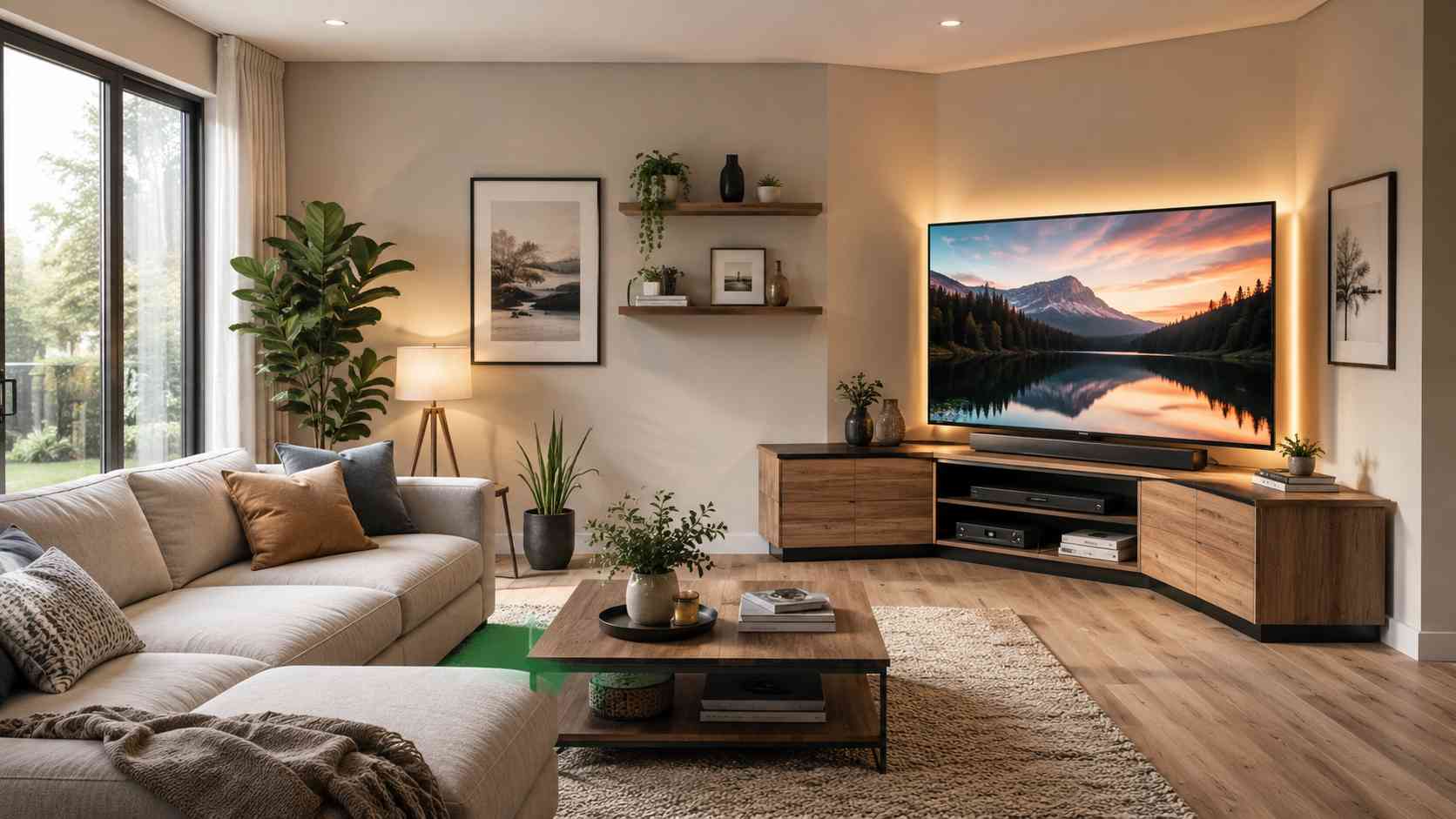
This guide covers everything you need to know about setting up a corner TV unit — from choosing the right furniture and measuring your space to cable management, viewing angles, and styling tips that pull the whole room together.
Why Choose a Corner TV Setup?
Before diving into the how-to, it’s worth understanding why so many homeowners are making the switch to corner setups.
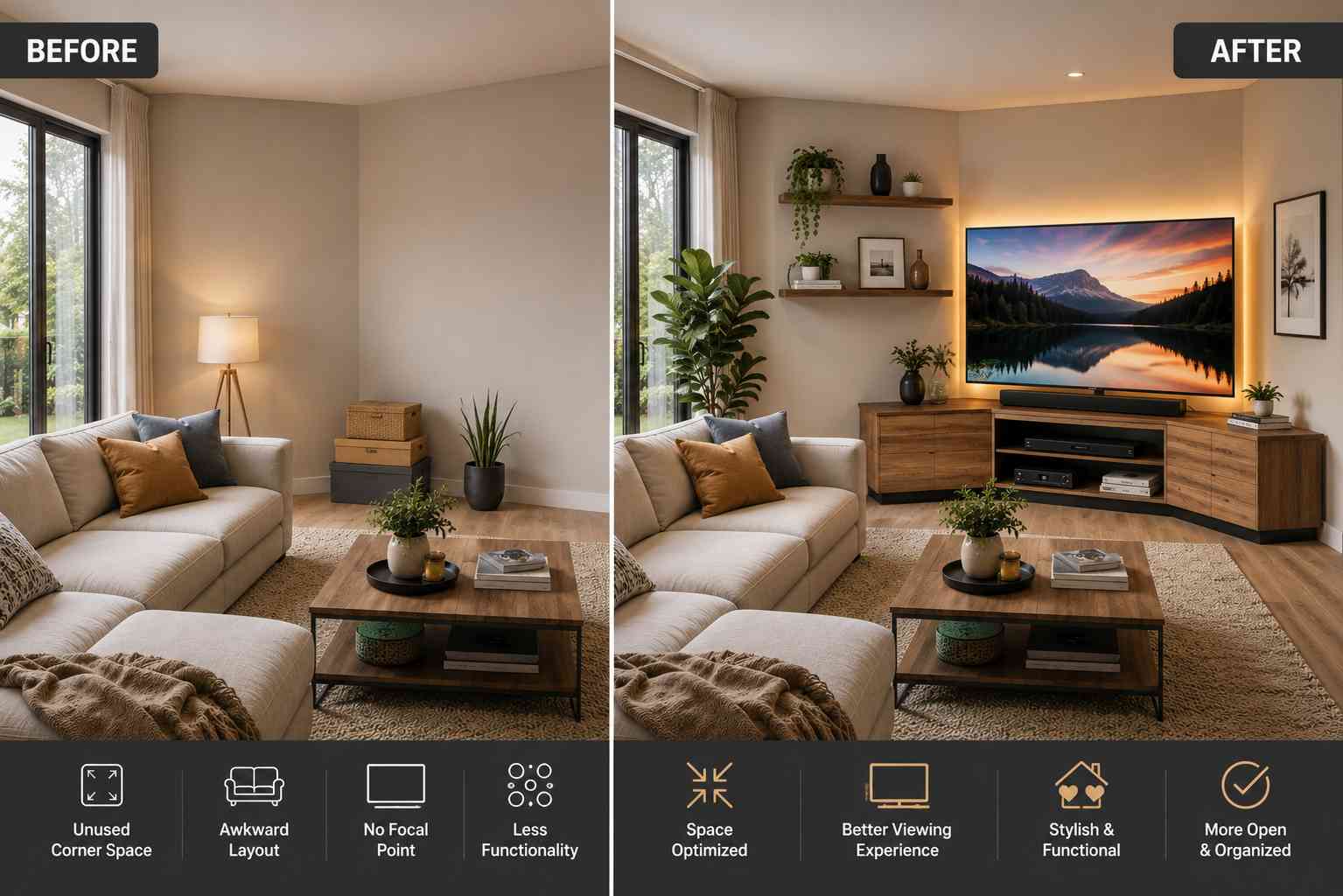
Space efficiency is the most obvious benefit. Corners are often dead zones in a room — areas that collect clutter or get ignored entirely. A well-chosen corner TV unit reclaims that space and puts it to work.
Better seating arrangements are another major advantage. When your TV sits in a corner, you can arrange sofas and chairs in a more social arc facing that corner, rather than having everyone line up along one wall. This works especially well in square rooms or open-plan living areas where a traditional wall-mounted setup would force awkward furniture placement.
Improved room proportions can also come into play. In a rectangular room, placing the TV on a short end wall can make the space feel narrow. Moving the setup to a corner opens the room up visually and gives the layout more balance.
Finally, corner units tend to be more child and pet friendly. With the TV tucked into a corner rather than perched on a freestanding stand, there’s less risk of it being knocked over — a genuine concern for families with young children or large dogs.
Step 1 — Measure Your Corner and Know Your Numbers
Getting the measurements right before you buy anything is the single most important step. Mistakes here are costly, and a unit that doesn’t fit properly can ruin the whole project.
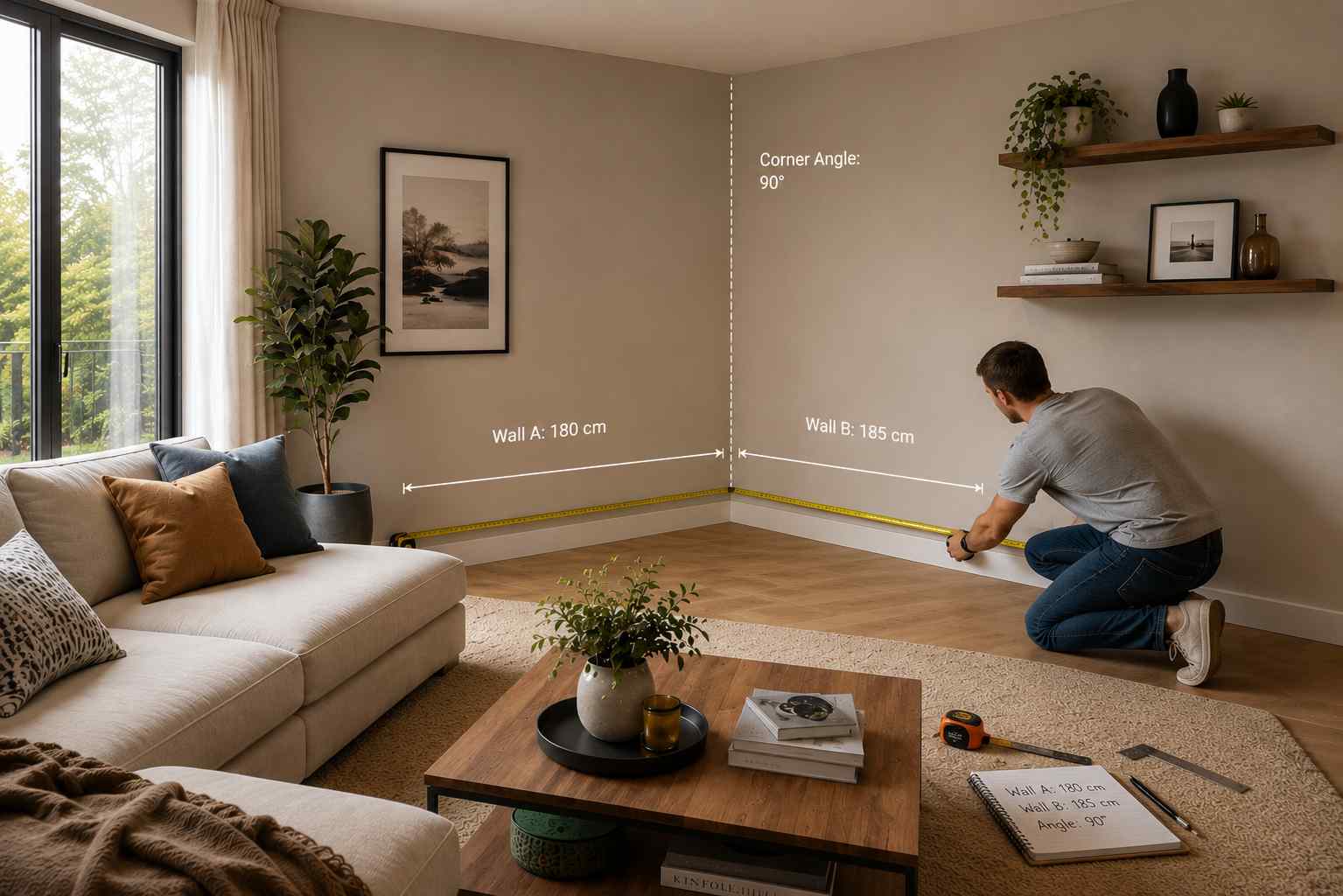
Measure the corner itself
Stand in the corner and measure the wall space on each side. Most corner TV units are designed for walls that are equal in length on both sides of the corner, but some asymmetric designs exist. Typical corner units need between 150 cm and 200 cm (roughly 5 to 6.5 feet) of wall space on each side.
Check whether your corner is a true 90-degree angle. In older homes, particularly Victorian or Edwardian properties common in the UK, corners can be slightly off-square. If yours is not perfectly square, measure the actual angle — you may need an adjustable or floating unit.
Measure the room depth
This matters more than most people realise. A deep corner unit in a small room can feel oppressive and make moving around awkward. As a general rule, the unit should not protrude more than half the room’s width into the space.
Measure the ceiling height
If you’re considering a tall corner entertainment unit or a built-in shelving solution, ceiling height determines how tall you can go. Standard ceiling heights in the US and Canada are around 8 to 9 feet. UK homes vary considerably — older properties may have ceilings as low as 7.5 feet in some rooms.
Know your TV dimensions
Don’t just go by screen size. A 65-inch TV measures 65 inches diagonally, but the actual width is typically around 57 inches (145 cm) and the height around 33 inches (84 cm). Check the manufacturer specs for your specific model. The unit you choose must support both the width and the weight of your TV — most modern large TVs weigh between 20 and 30 kg.
Step 2 — Choose the Right Type of Corner TV Unit
There are several distinct styles of corner TV furniture, and the right one depends on your room size, storage needs, and aesthetic preferences.
Corner TV stands
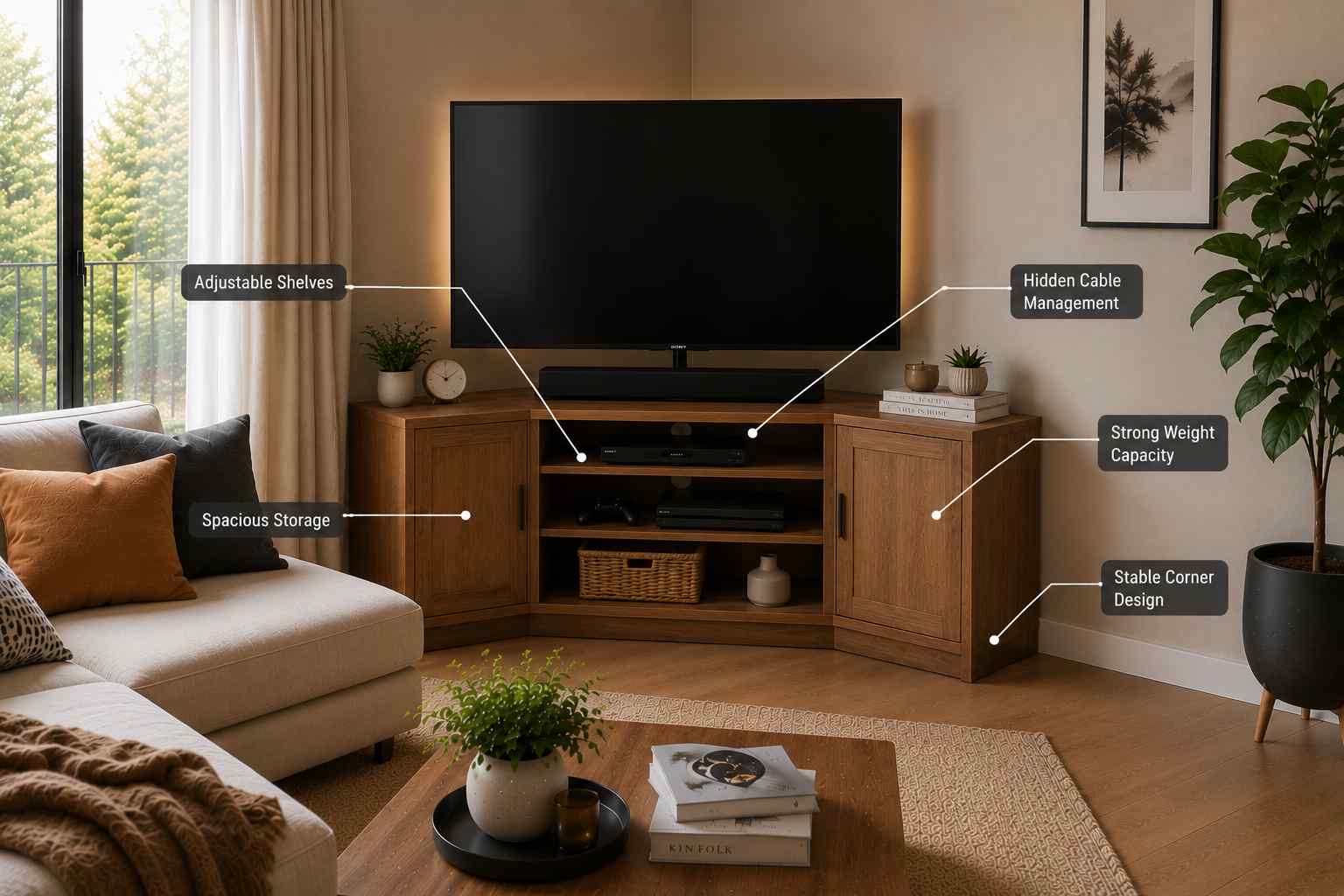
These are freestanding units specifically designed to sit in a corner. They’re typically triangular or have a right-angle back, with shelves or cabinets built in for media equipment, consoles, and accessories. Corner TV stands are the most affordable option and the easiest to move if you redecorate.
Look for models with adjustable shelves (great for accommodating different-sized equipment), cable management holes built into the back panel, and a solid base that won’t wobble. Weight capacity matters — always check the listed maximum load for the TV shelf specifically.
Corner TV wall mounts
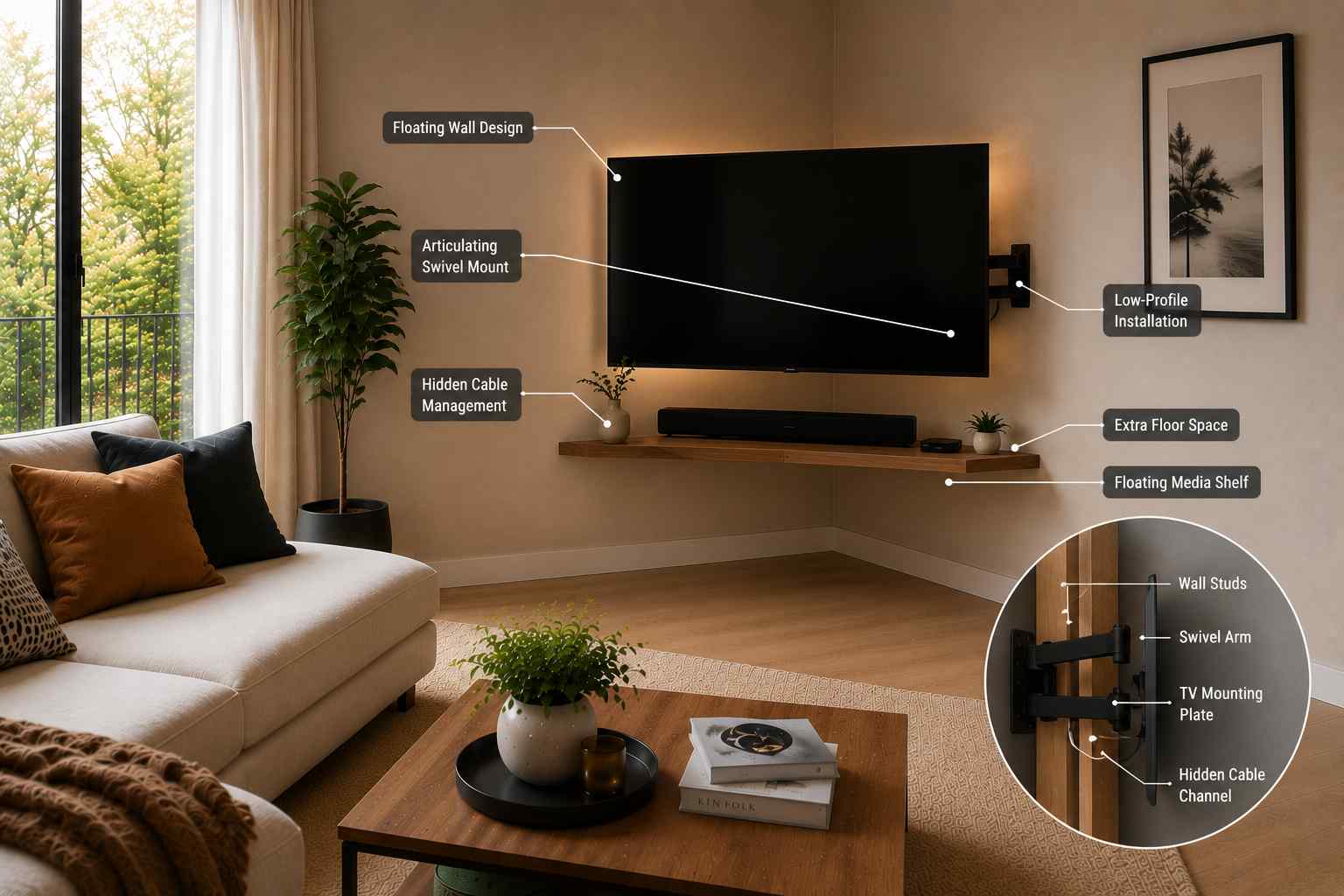
A corner wall mount attaches to the two walls that form the corner and holds your TV at an angle. The TV itself floats without any floor furniture beneath it. This creates a very clean, modern look and frees up floor space entirely.
Corner wall mounts are available in fixed and articulating (swivel) versions. An articulating mount is strongly recommended for corners — it allows you to angle the screen left or right depending on where in the room you’re sitting. Fixed corner mounts can create viewing angle problems that we’ll discuss in more detail below.
Wall mounts require confident DIY skills or a professional installer. You need to locate studs or use appropriate wall anchors rated for the weight of your TV. In the UK and Australia, many older walls are plaster over brick rather than drywall, which affects the type of fixings you’ll need.
Built-in corner entertainment units
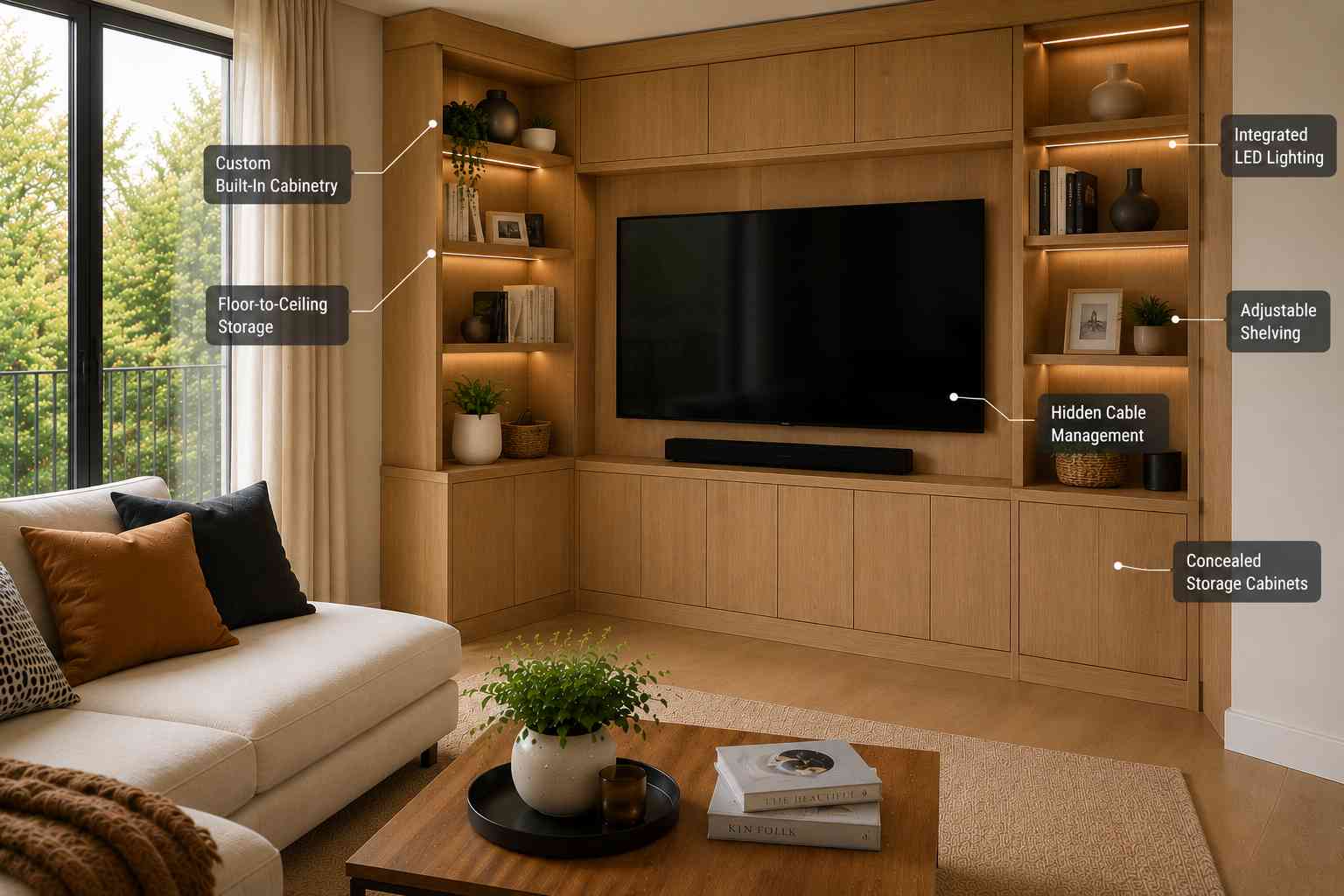
A fully built-in solution is the premium option. This involves either hiring a carpenter to build a custom unit or purchasing flat-pack modular units (from brands like IKEA, Argos, or specialist cabinetry retailers) that can be configured to fit your specific corner.
Built-in units look the most polished and can integrate storage for everything from board games to books, but they’re permanent, expensive, and time-consuming to install.
Corner floating shelves
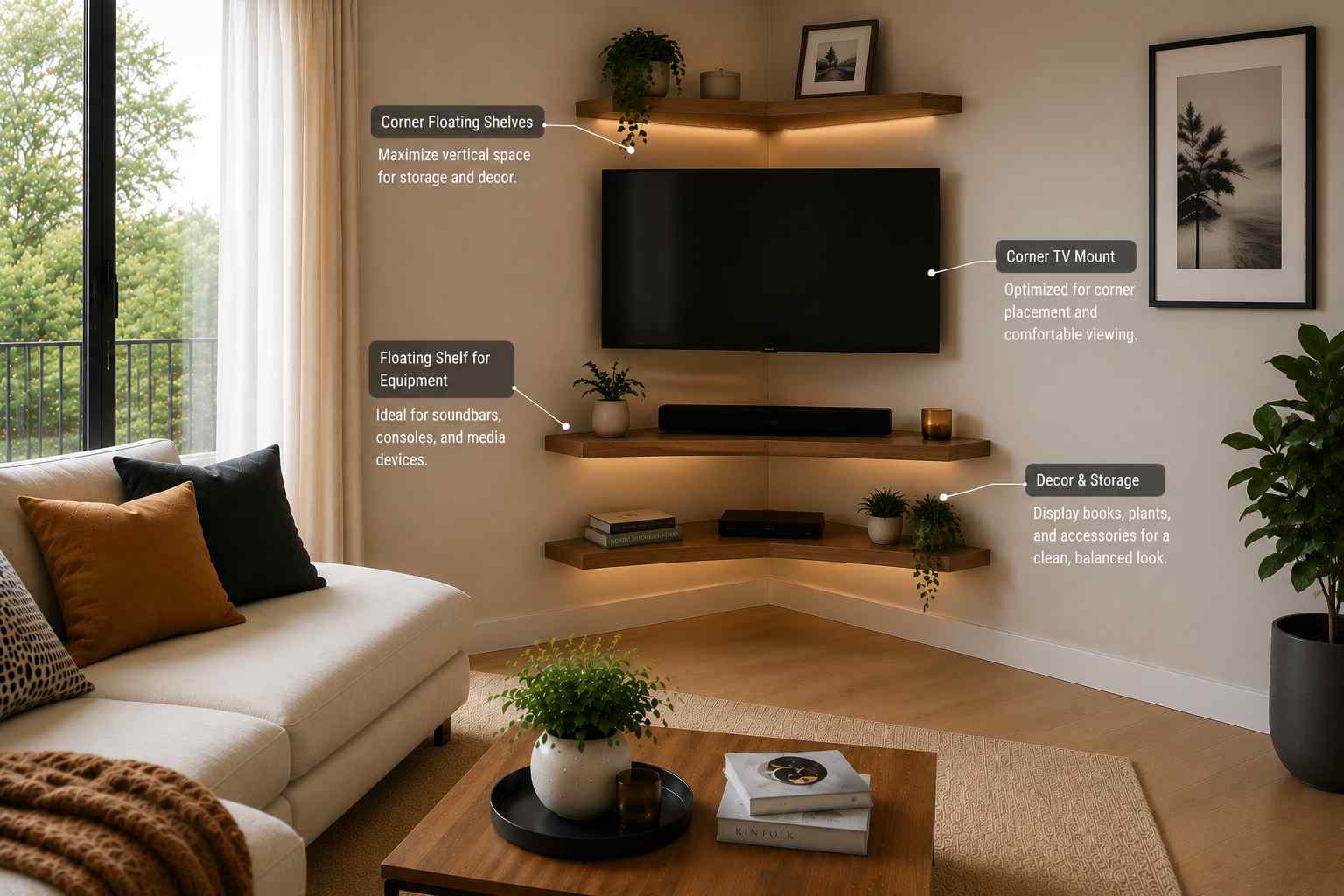
A more minimal approach involves mounting a series of floating shelves in the corner, placing the TV on a purpose-built corner bracket or mount, and using the shelves for equipment and decor. This works well in smaller rooms where a large ground-level unit would feel bulky.
Step 3 — Nail the Viewing Angle and Screen Height
This is where many corner TV setups go wrong. Poor viewing angles cause eye strain and neck discomfort, and an incorrectly positioned screen will make you regret the whole setup within a week.
Optimal viewing height
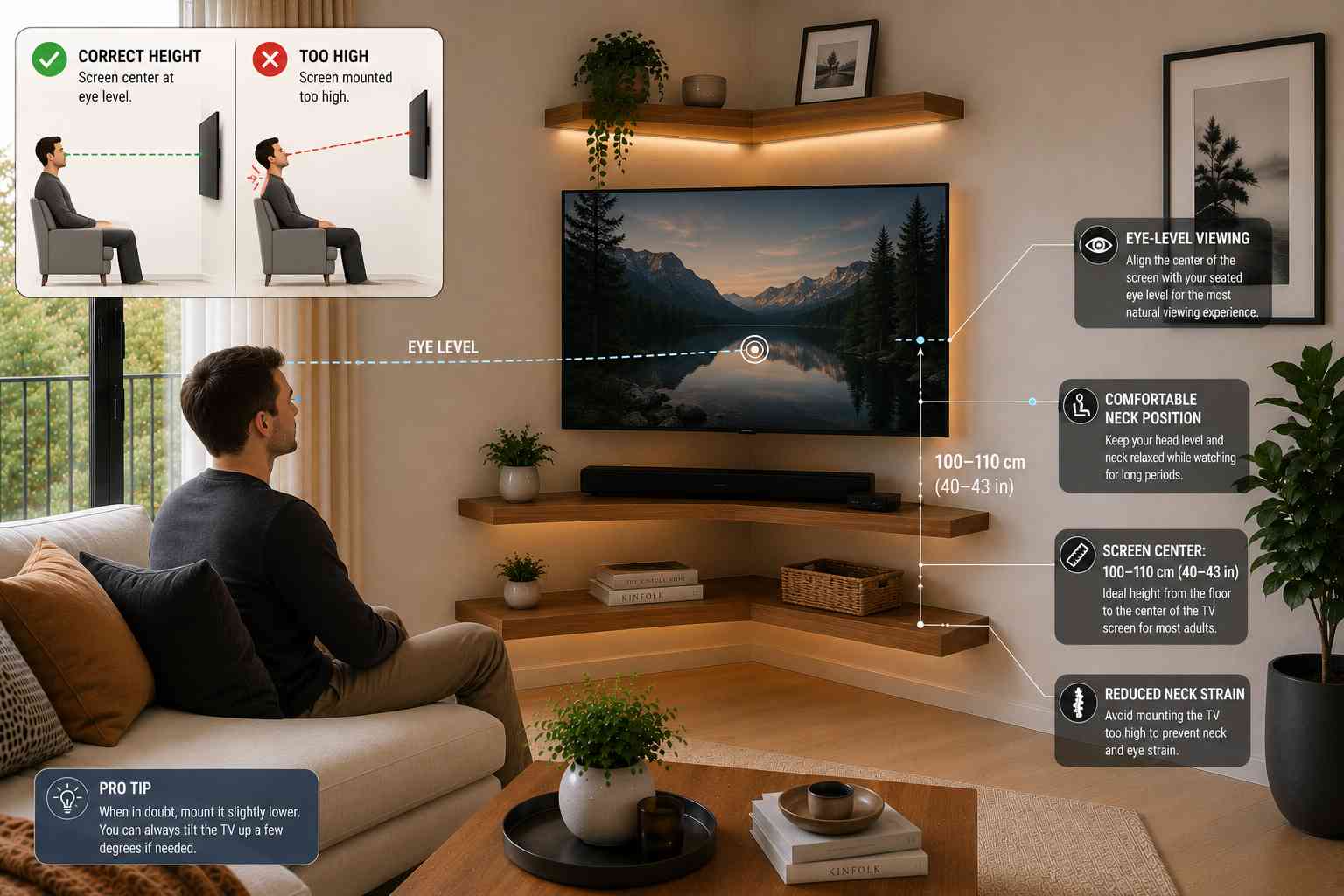
The centre of the screen should sit at roughly eye level when you’re seated. For most adults sitting on a standard sofa, eye level is approximately 100 to 110 cm (about 40 to 43 inches) from the floor. This means the middle of your TV screen should ideally be at that height.
Many people mount TVs too high — a common mistake driven by the idea that “higher looks better.” In practice, craning your neck upward for two-hour movie sessions causes real discomfort. If anything, err slightly lower rather than higher.
Optimal viewing distance
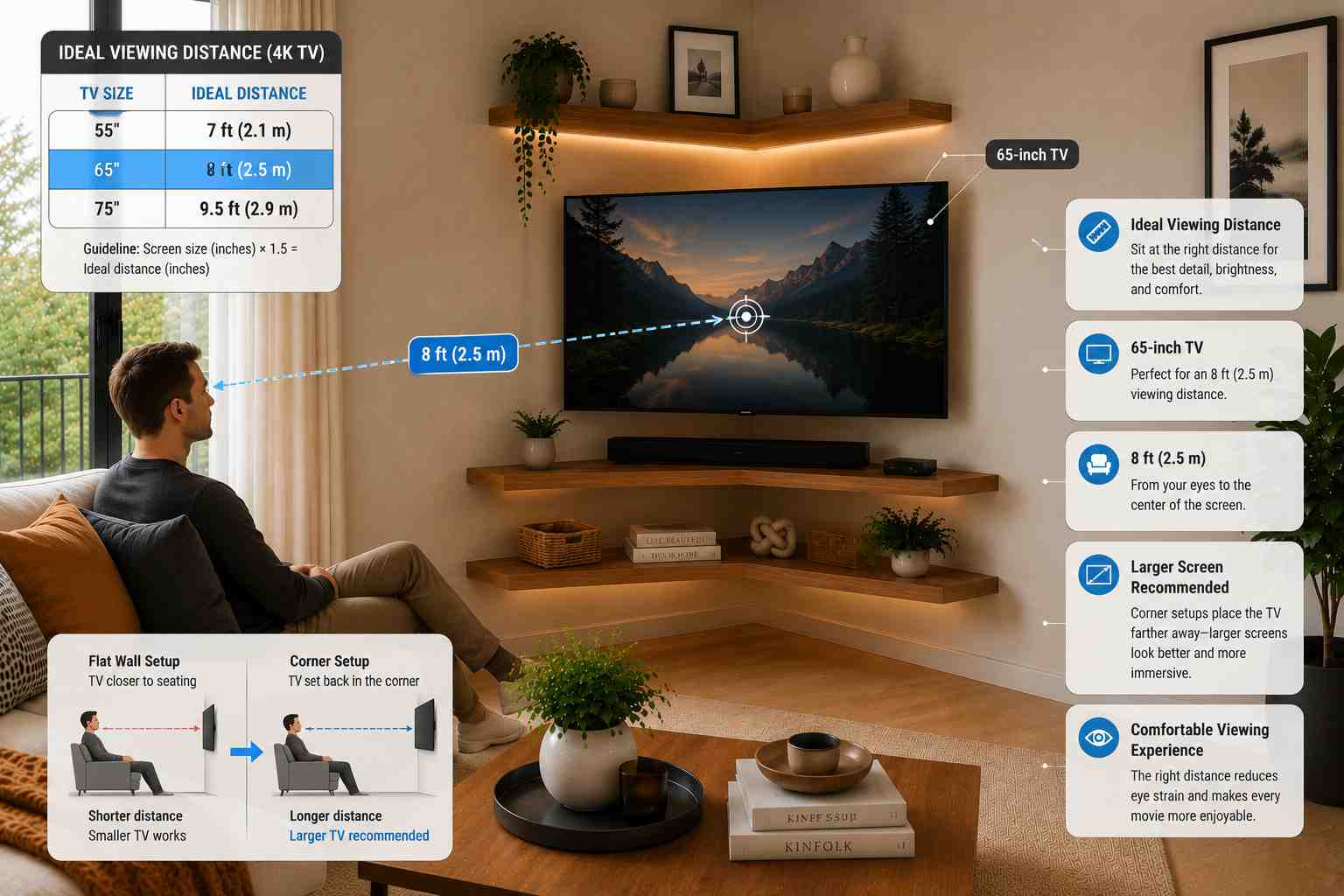
Screen size and viewing distance are linked. A commonly used guideline for 4K TVs is to multiply the screen size in inches by 1.5 to get the ideal viewing distance in inches. So for a 65-inch TV, the ideal viewing distance is roughly 97 inches — about 8 feet or 2.5 metres. For a 55-inch TV, it’s around 82 inches or just under 7 feet.
In a corner setup, the TV is set back into the corner, which naturally increases the distance from the main seating area compared to a wall-mounted setup on a flat wall. This means corner setups often work better with larger screens — a 50-inch screen that looks fine on a flat wall might feel small when viewed from an extra few feet away in a corner configuration.
Viewing angle from different seats
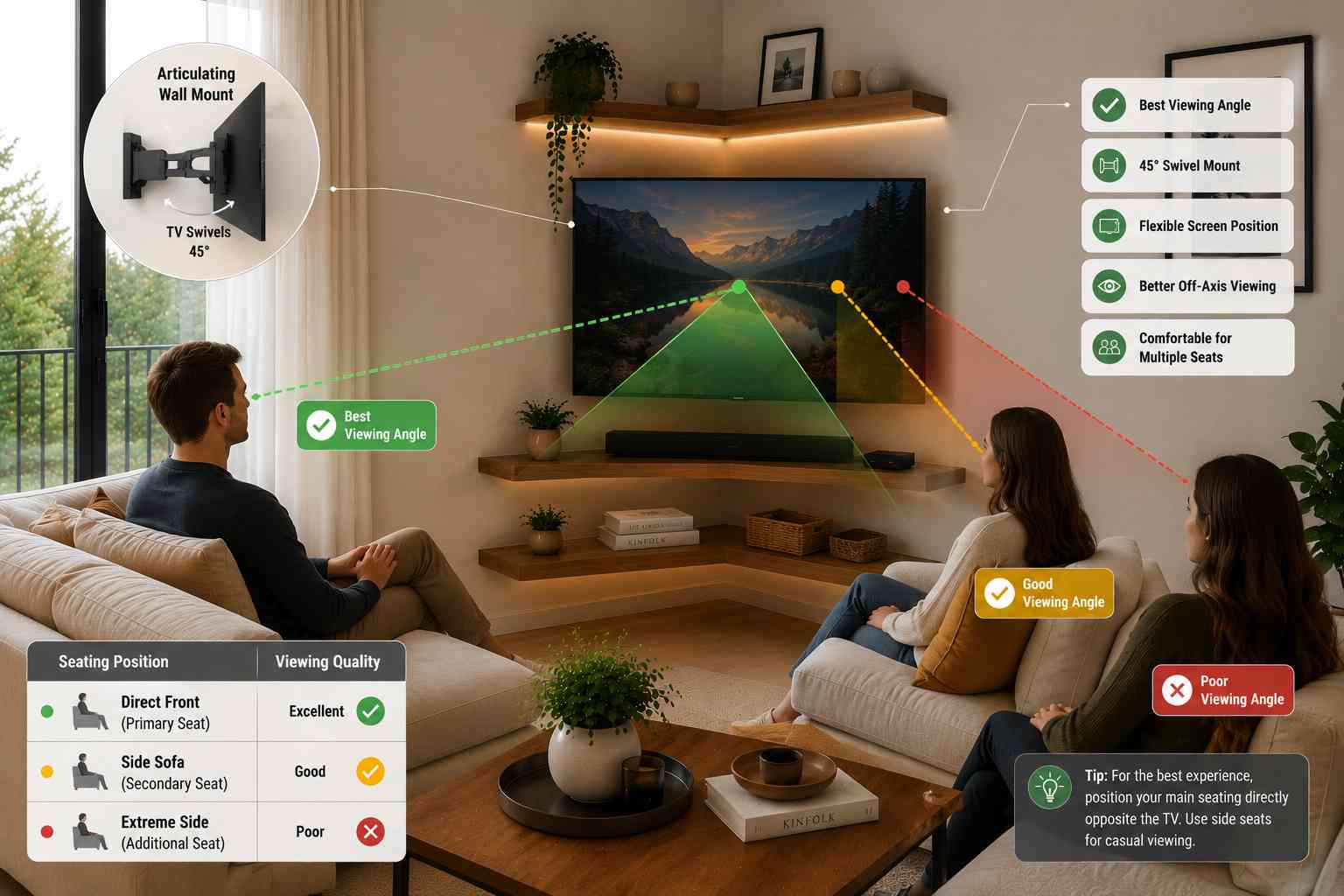
A major challenge of corner setups is that different seats in the room are at very different angles to the screen. A seat directly opposite the corner will have a nearly perfect sightline, while a seat along one of the adjacent walls may be viewing at a sharp angle.
Modern OLED and QLED TVs handle off-axis viewing far better than older LCD panels, but no TV looks its best at extreme angles. If multiple seating positions are important, an articulating wall mount that can swivel 45 degrees or more is worth the extra cost. Alternatively, arrange your primary seating directly opposite the corner and use the angled seats as secondary positions for casual viewing.
Step 4 — Plan Your Cable Management
Cable chaos is the enemy of a clean corner TV setup. In a corner, cables have further to travel to reach wall sockets and there are more directions they can go, which makes the problem worse if not planned properly.
Start with a power audit
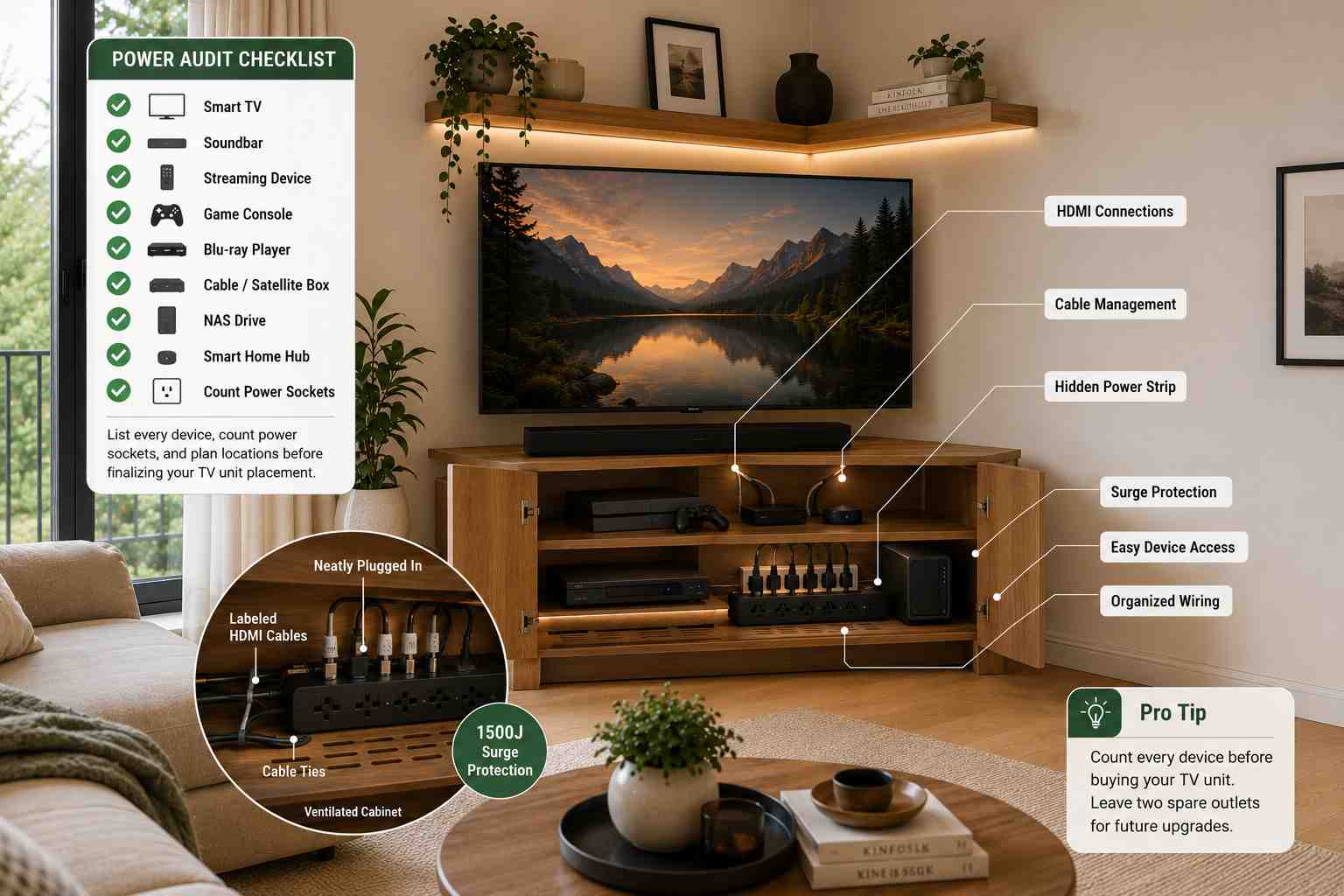
List every device you plan to connect: TV, soundbar, streaming device, games console, Blu-ray player, cable or satellite box, NAS drive, smart home hub. Each needs power, and most need HDMI or other data connections. Count your required sockets and plan their location before finalising where your unit will sit.
A surge-protected multi-socket extension lead (power strip) is essential. Position it inside the unit or behind a panel where it won’t be visible but remains accessible. In the US and Canada, look for units rated at least 1500 joules of surge protection. In the UK, check for the BS 1363 certification on any extension lead you use.
Route cables behind the wall (for wall mounts)
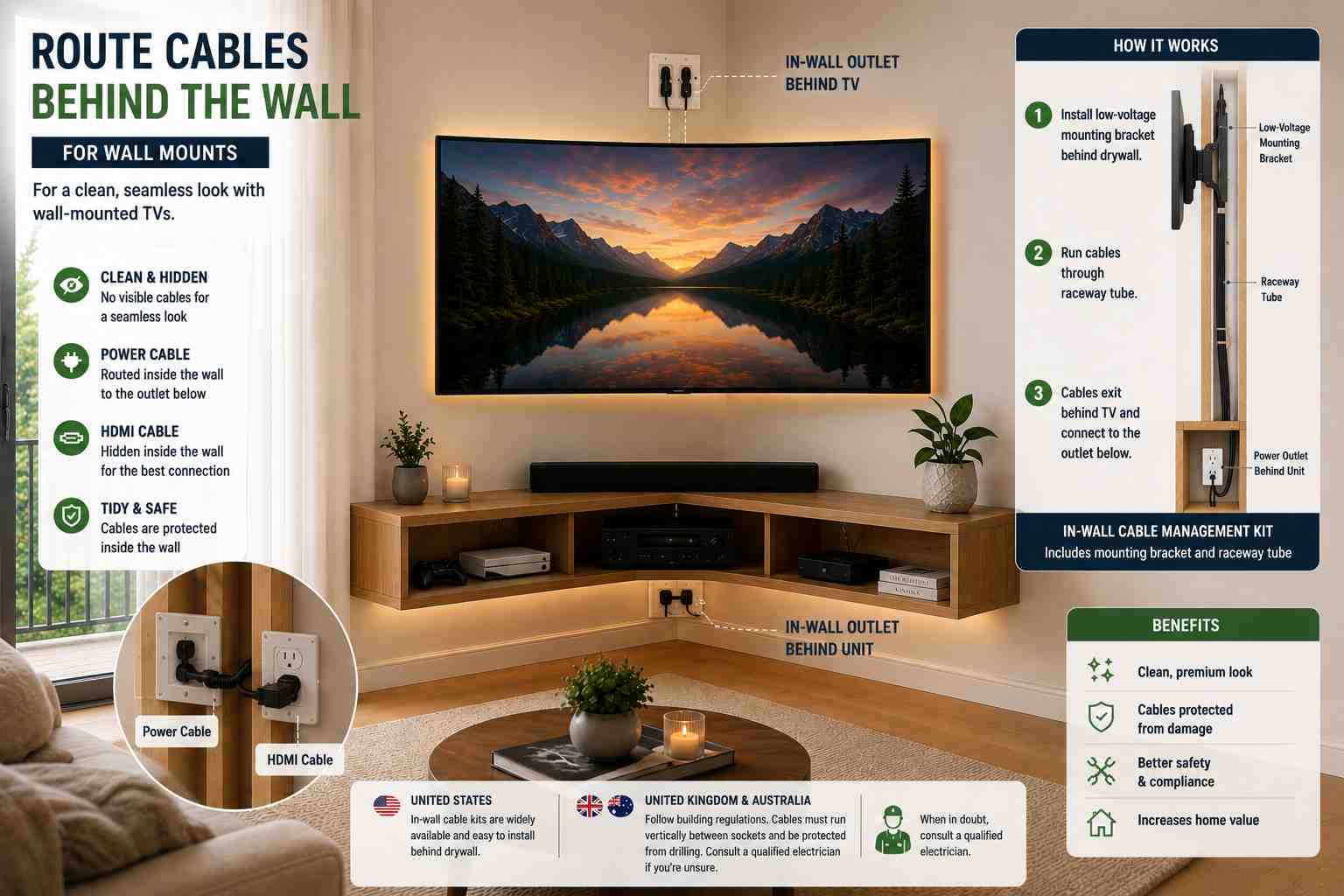
If you’re wall mounting your TV, the cleanest result involves routing the HDMI and power cables inside the wall between the TV and the unit below. In the US, in-wall cable management kits are widely available and straightforward to install behind drywall. These kits include a low-voltage mounting bracket and a raceway tube that cables pass through.
In the UK and Australia, wall routing needs to follow building regulations. Cables in walls should run vertically from socket to socket and be protected from accidental drilling. If you’re unsure, a qualified electrician can install in-wall cable management legally and safely.
Use cable raceways for surface runs
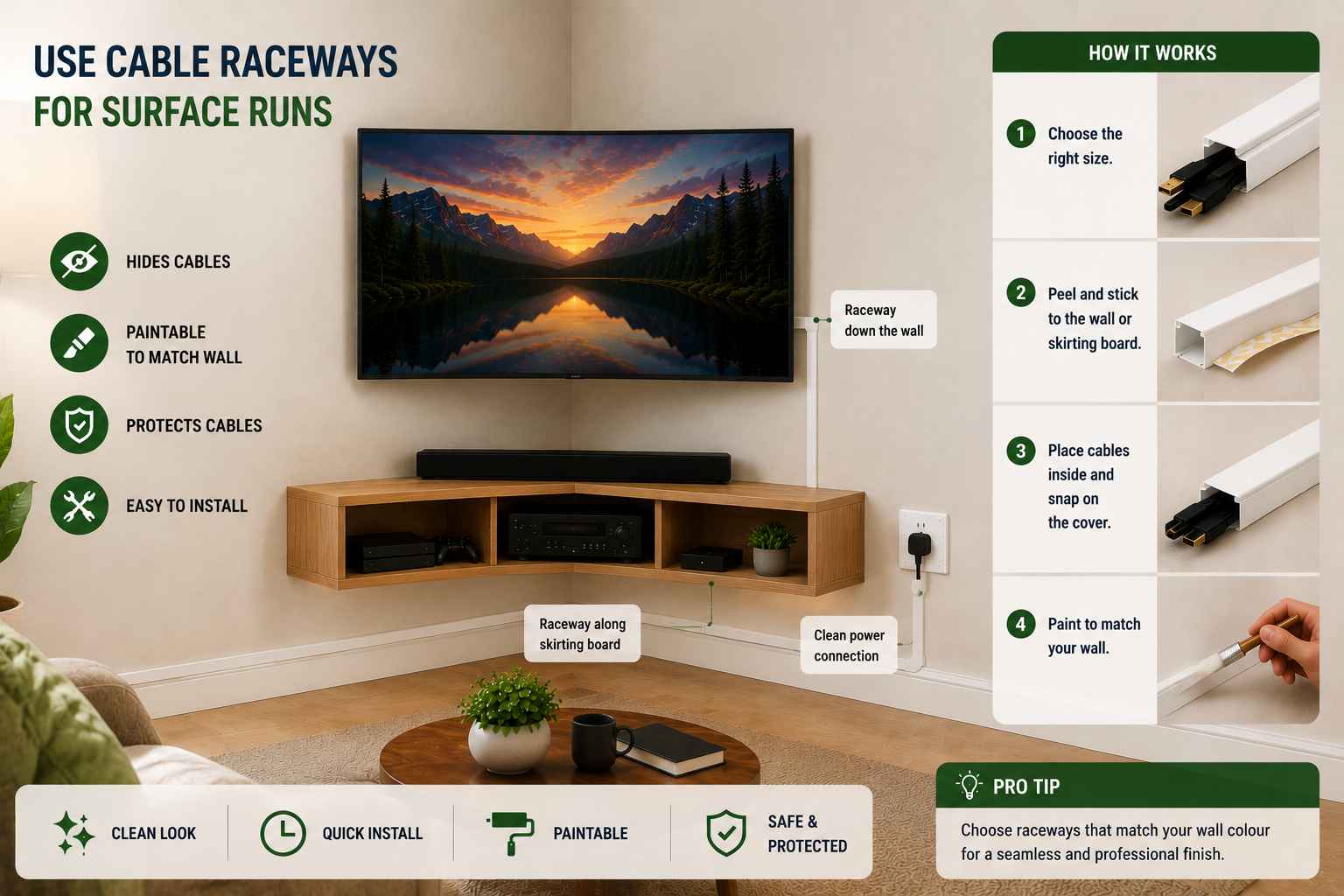
Where routing cables inside the wall isn’t practical, adhesive cable raceways (plastic channels that mount along skirting boards and walls) provide a clean and paintable alternative. Choose raceways that match your wall colour and they’ll become nearly invisible.
Wireless and smart home options
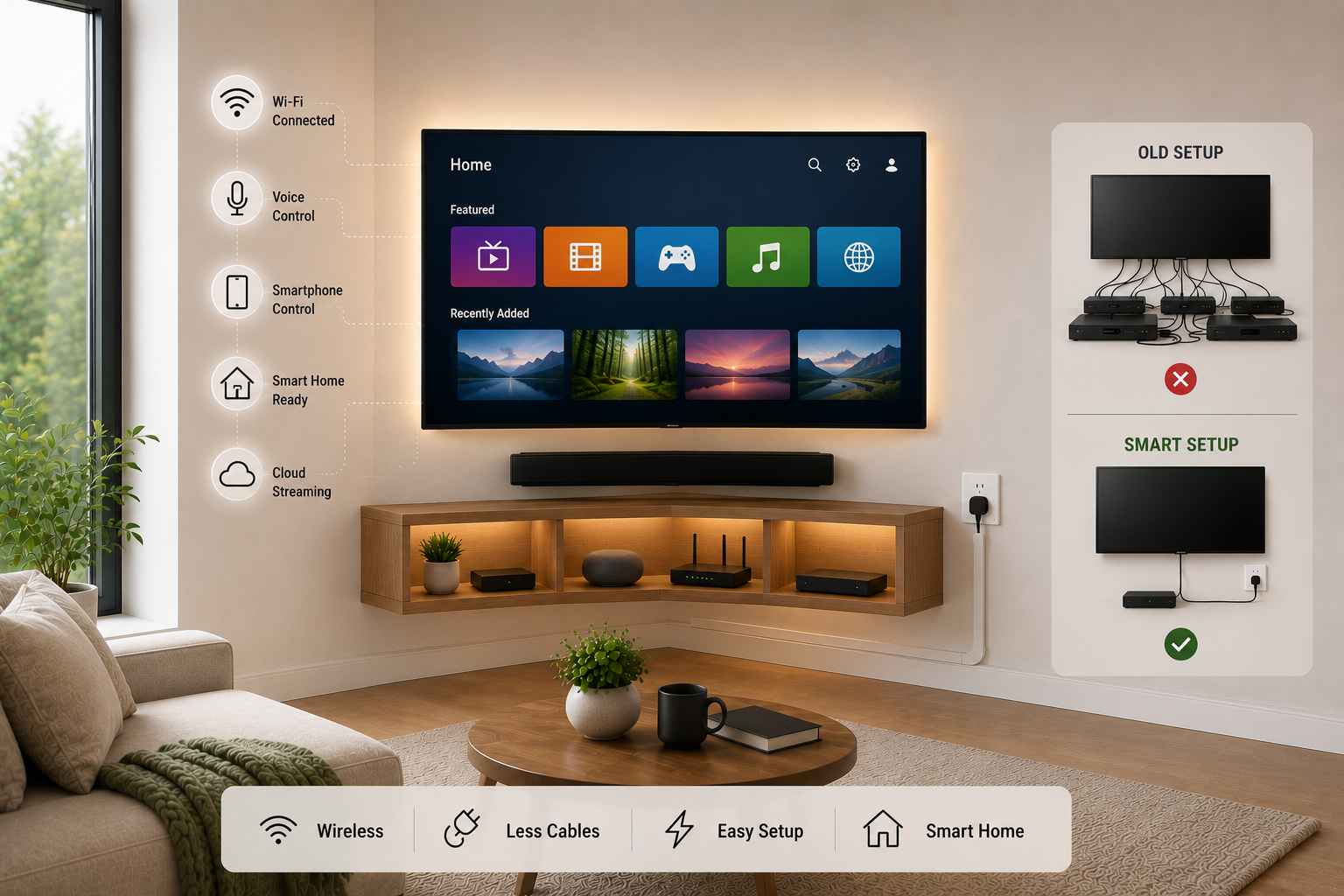
A growing number of home theatre setups are eliminating physical cables for secondary devices entirely. Streaming sticks and smart TVs handle most video content without any cable connection beyond power. If your primary use is Netflix, Disney+, Amazon Prime Video, Apple TV+, or similar streaming services, a single HDMI cable from a streaming device plus a power cable may be all you need at the TV end.
Step 5 — Soundbar and Audio Setup in a Corner
Audio in a corner setup has some quirks worth understanding. Corners are natural bass traps — low frequencies reflect off two walls simultaneously and can become boomy and uneven. This isn’t usually a serious problem for casual viewers, but if you care about sound quality, it’s worth knowing.
Soundbar placement
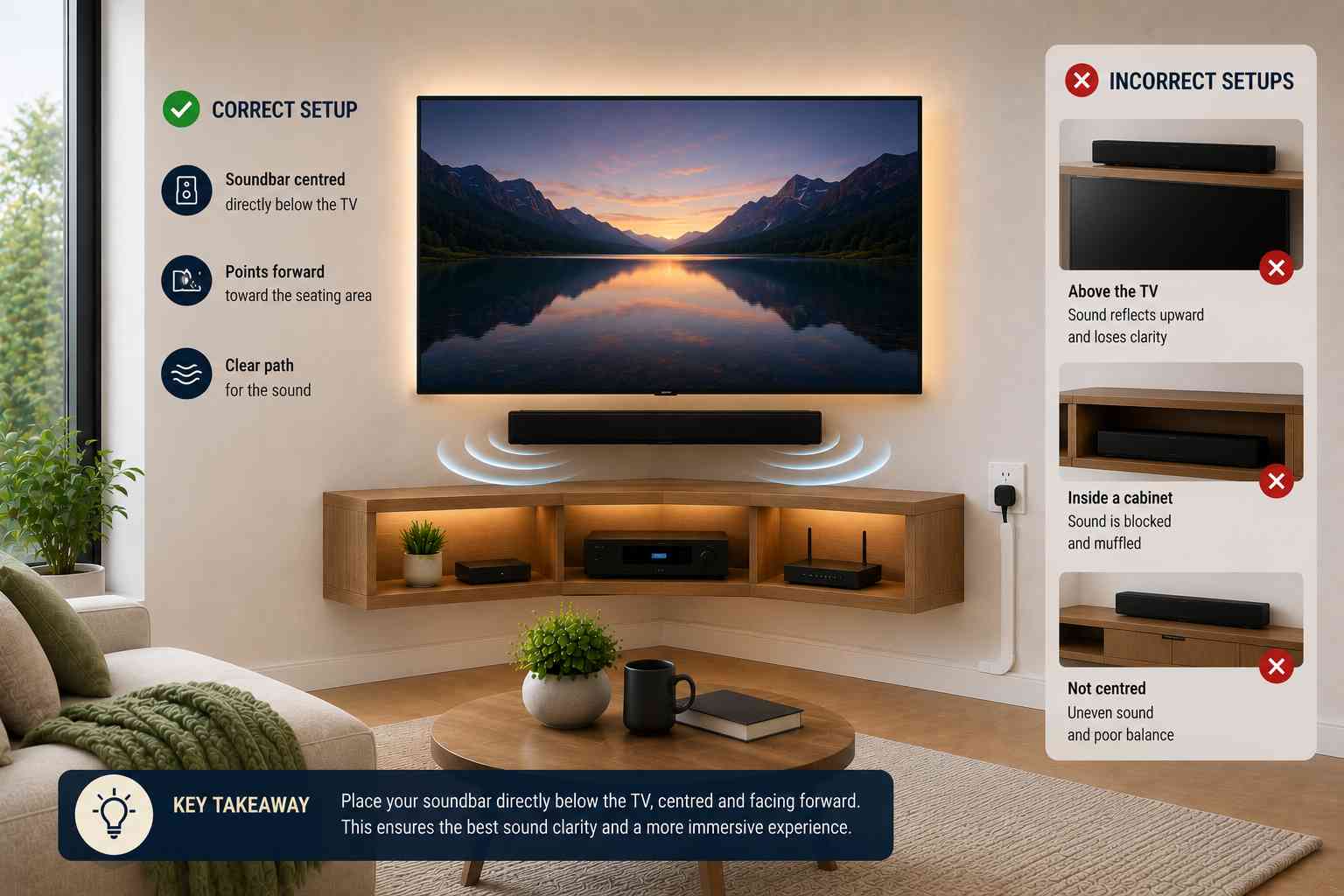
A soundbar is the most popular audio solution for living room TV setups. In a corner configuration, position the soundbar directly below the TV, centred on the unit or wall mount bracket. Most soundbars are designed to project sound forward, and a corner location won’t significantly affect their performance if they’re pointed toward the seating area.
Avoid placing the soundbar inside a cabinet or on a shelf above the TV. Sound needs a clear path to the listener. Below the screen, pointing outward, is correct.
Rear speakers in a corner room
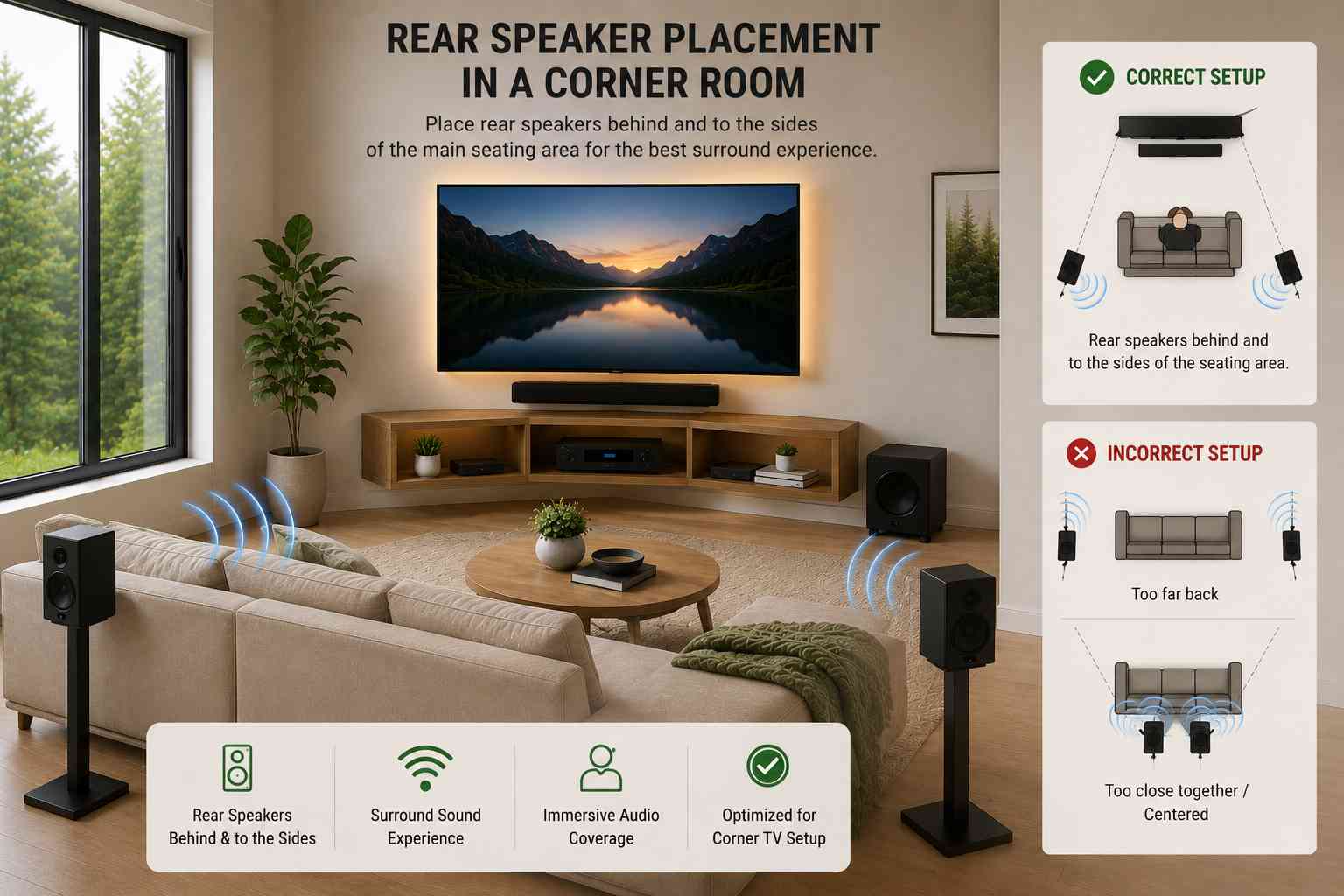
If you’re setting up a full surround sound system, the corner location of the TV actually makes placing the rear speakers easier — they should sit behind and to the sides of the main seating area, which is naturally what a corner TV layout encourages.
Volume and bass management
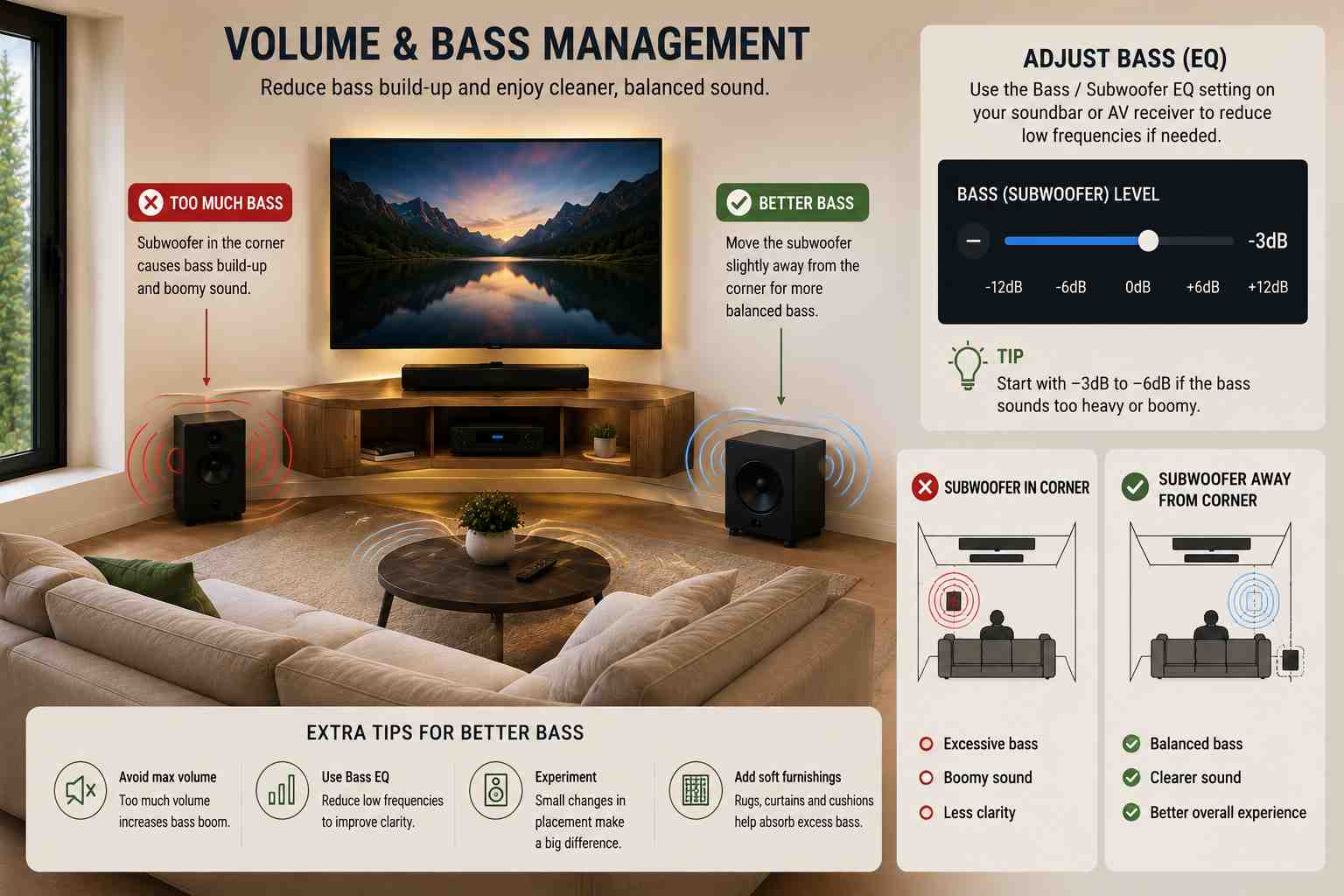
If you notice excessive bass rumble from your corner setup, most modern soundbars and AV receivers have a bass EQ setting that lets you reduce low frequencies. Alternatively, placing your subwoofer slightly away from the corner (rather than directly in the corner itself) can reduce the bass buildup effect.
Step 6 — Style the Corner Unit to Match Your Room
A corner TV setup that’s purely functional but visually clashing with the rest of the room will always feel like an afterthought. Getting the styling right elevates the whole space.
Choose the right material and finish
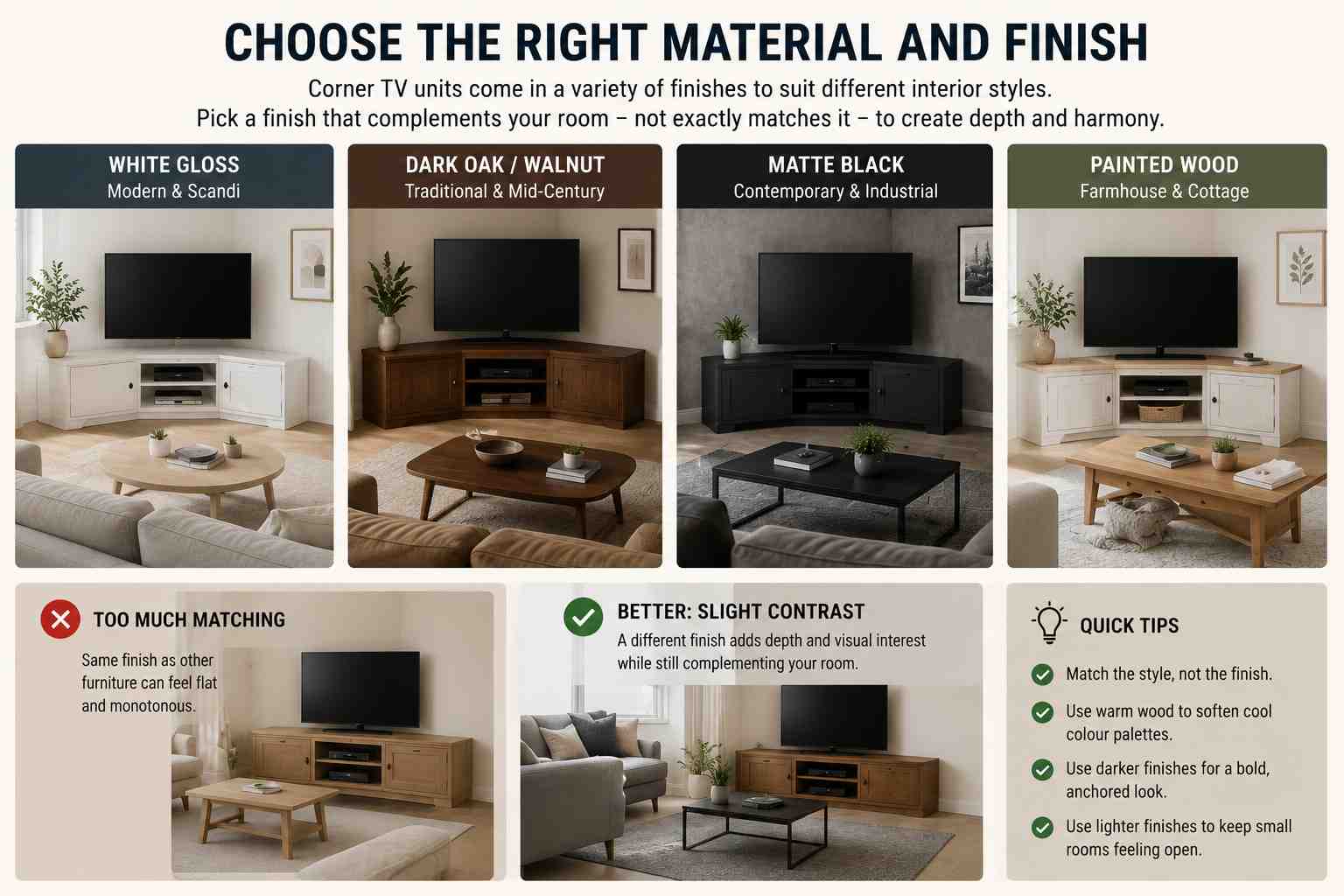
Corner TV units are available in a wide range of finishes: white gloss for modern and Scandi-inspired interiors, dark oak or walnut for traditional or mid-century modern rooms, matte black for contemporary industrial styles, and painted wood for farmhouse or cottage aesthetics popular across the American South, rural UK, and regional Australia.
The finish should complement — not exactly match — the other furniture in the room. A TV unit in the same exact finish as your sofa legs and coffee table can feel monotonous. A slight contrast (e.g., a warm oak unit against cooler grey sofa fabrics) creates depth.
Manage the visible clutter
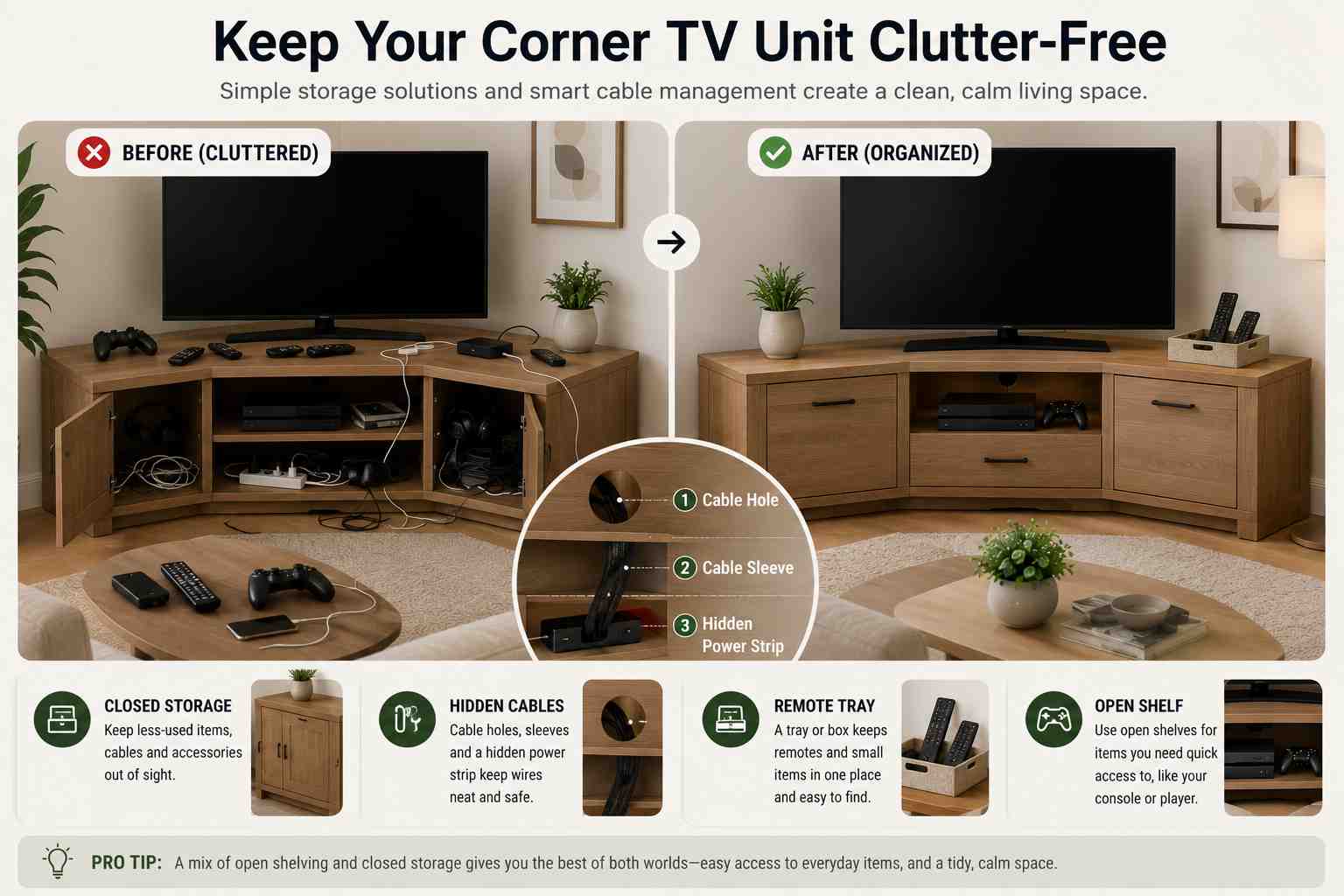
The area around a TV can easily become a clutter magnet: remote controls, gaming controllers, charging cables, subscription service dongles. Build in a system for containing these before they accumulate. A small tray or box on the unit for remotes, a drawer for cables, and cable tidies for any wires at the back go a long way.
Closed cabinets on the unit are your best friend here. Units with a mix of open shelving (for items you need quick access to, like the console) and closed cupboards (for everything else) strike the best balance between convenience and tidiness.
Use the corner wall space above the unit
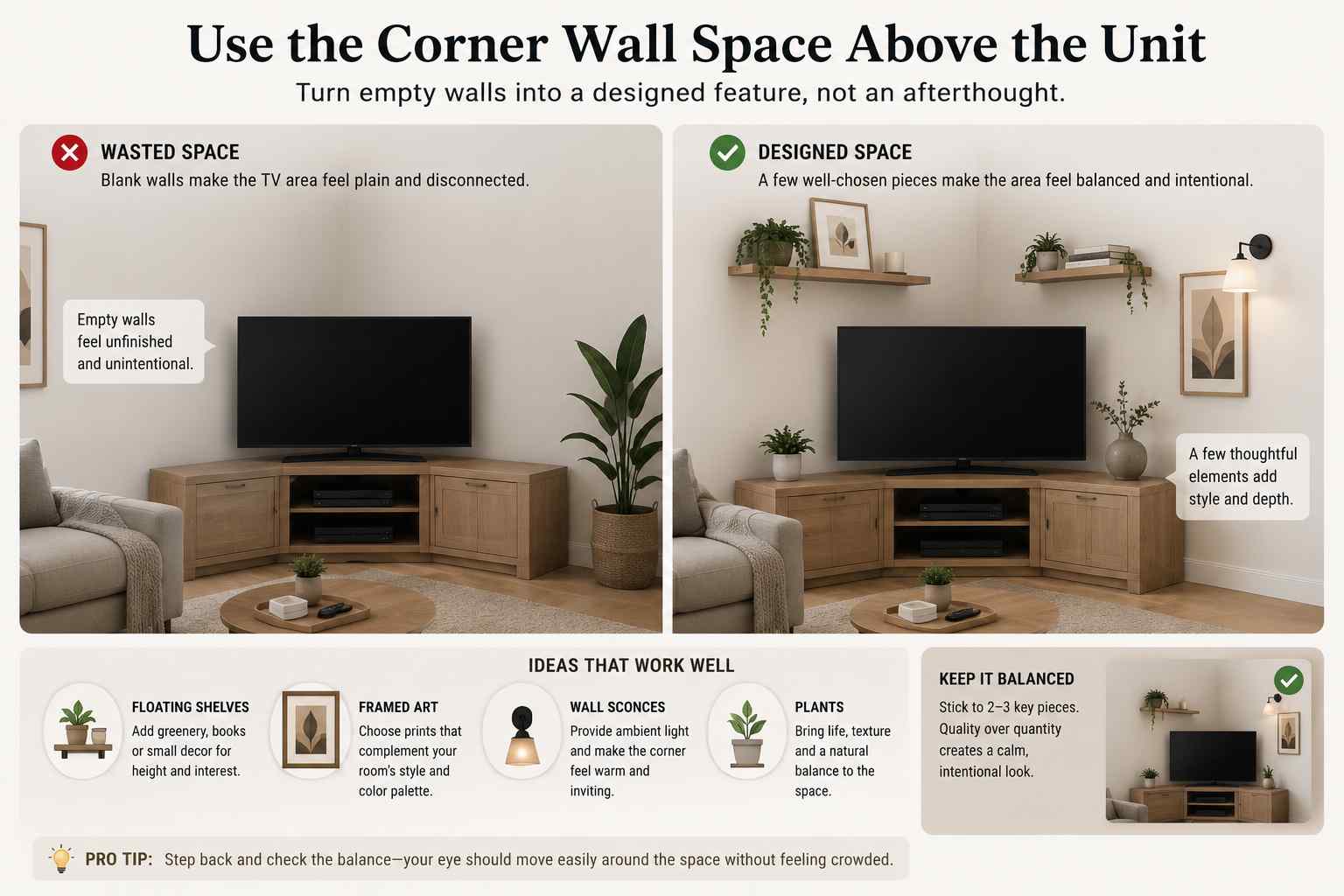
The walls in the corner above the TV are prime real estate that’s often left blank. A few well-chosen wall decorations — framed art, floating shelves with plants, sconces — can help the TV setup feel like a designed feature of the room rather than just a screen plonked in a corner.
Avoid overcrowding the space. Two or three carefully chosen items look intentional. Ten mismatched items look like the walls were used as overflow storage.
Lighting around the corner unit
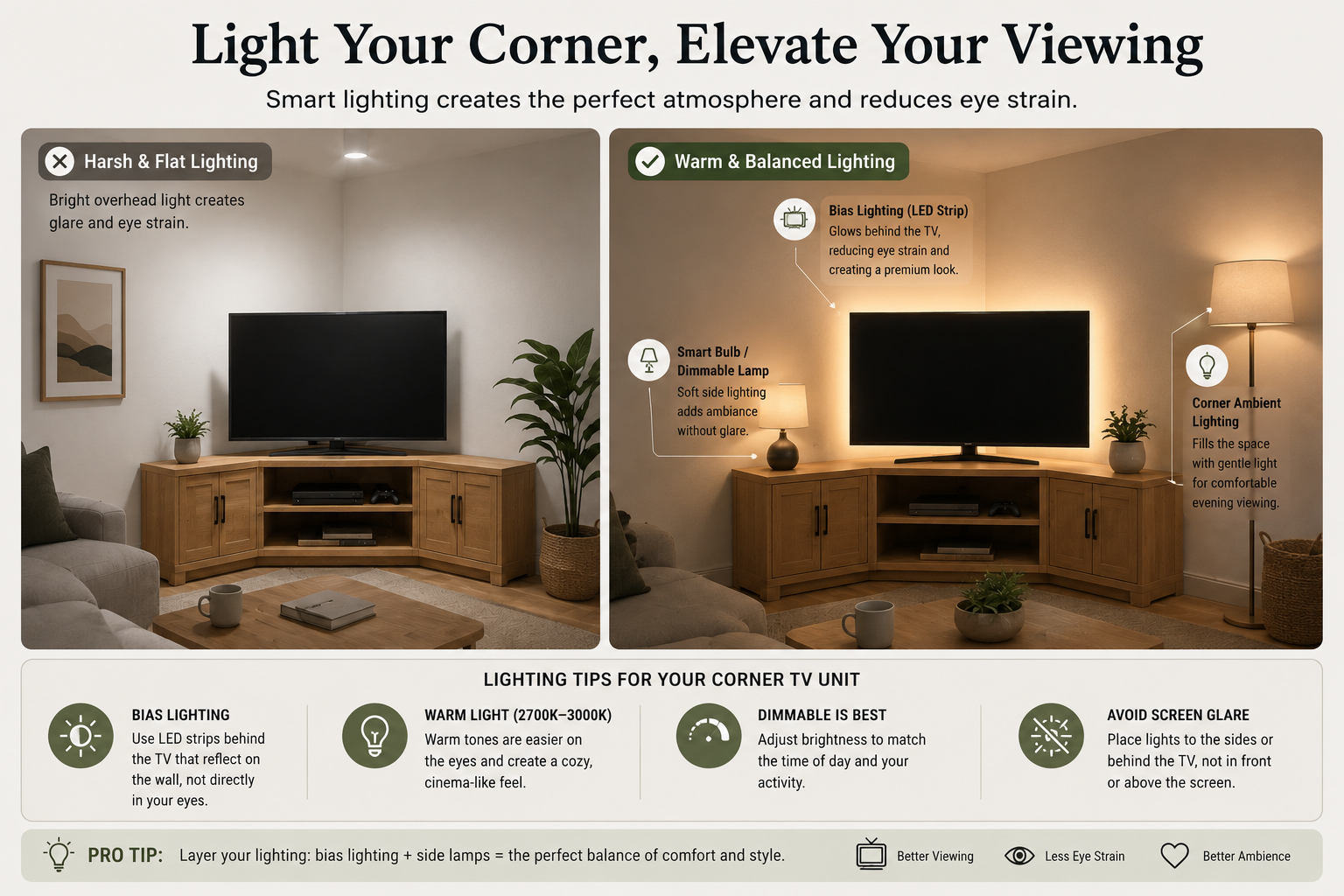
Bias lighting — LED strips placed behind the TV that glow onto the wall — reduces eye strain in darker viewing conditions and makes the TV look more premium. It’s particularly effective in corner setups because the two walls behind the screen create a larger lit area than a single flat wall would.
Smart bulbs or dimmable lamps positioned to the sides of the corner can provide ambient lighting that’s gentle enough for evening viewing without creating glare on the screen.
Common Mistakes to Avoid
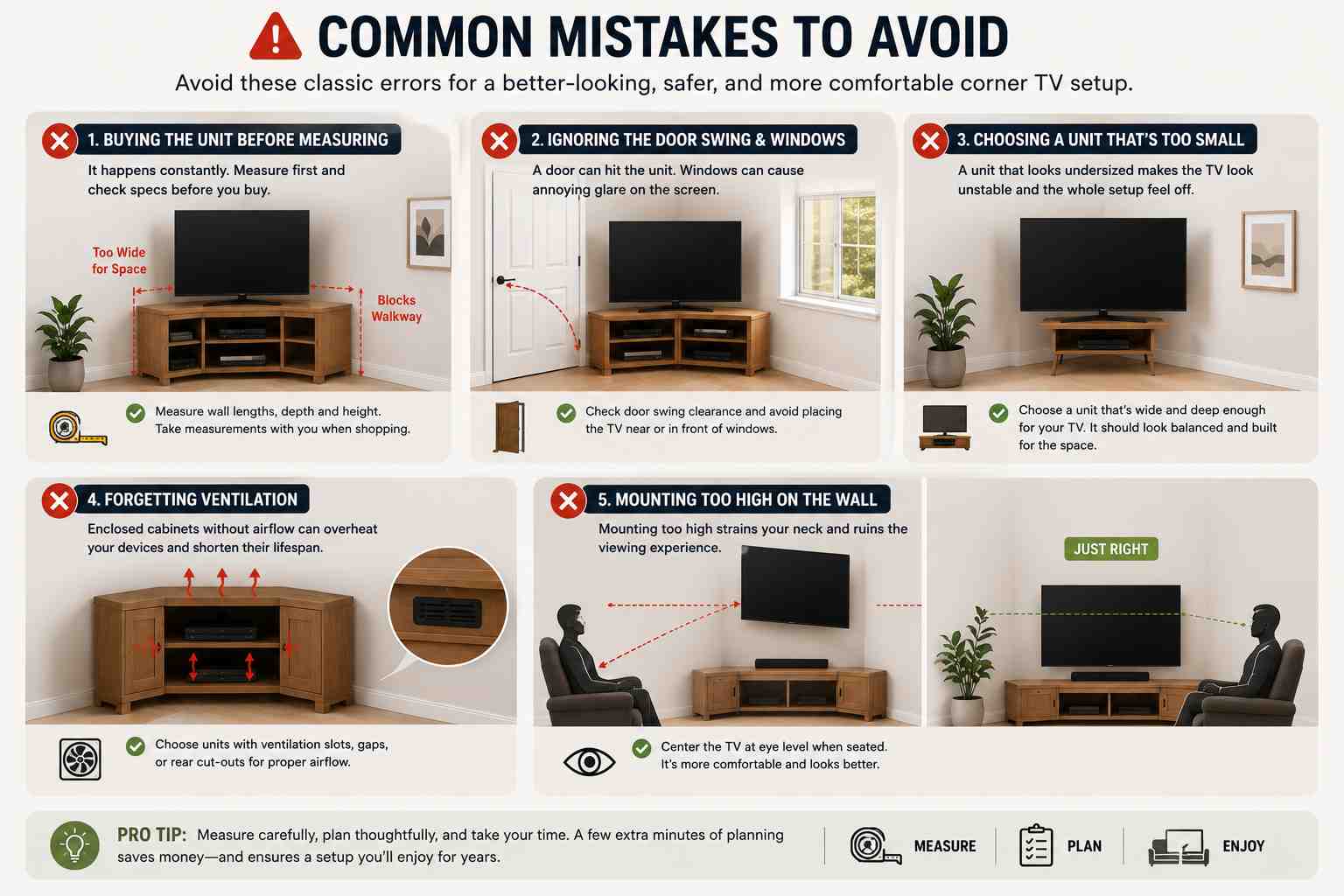
Even with good planning, a few classic errors catch out first-time corner TV setups.
Buying the unit before measuring the corner. It happens constantly. Always measure first, write it down, and take those measurements with you when shopping — or check them against online specifications before ordering.
Ignoring the door swing. If your living room has a door near the corner you’re planning to use, check that it won’t swing into the TV unit when open. Also check for windows — glare from a window behind or beside a corner TV is far more problematic than glare from a window behind the viewer.
Choosing a unit that’s too small for the TV. A corner unit that’s technically wide enough for the TV but looks visually undersized — spindly legs, shallow depth, flimsy construction — will look cheap and feel unstable. The unit should look like it was made for the TV, not struggling to hold it.
Forgetting ventilation. AV equipment generates heat, and enclosed cabinets with no ventilation can cause overheating. Check that any enclosed section where you place a games console, streaming box, or AV receiver has ventilation slots or gaps. Some units come with rear cut-outs specifically for this.
Mounting too high on the wall. This applies equally to corner setups and flat-wall setups, but because people feel that height “looks more dramatic” in a corner, they often mount even higher than usual. Resist the urge. Eye level when seated is the target, full stop.
Recommended Products and What to Look For
When shopping for corner TV units in the US, UK, Canada, and Australia, a few specific features separate good products from frustrating ones.
Look for units with adjustable shelf heights so you can accommodate different equipment now and in the future. A shelf that fits today’s slim soundbar may not fit a future AV receiver.
Check weight ratings carefully — both for the TV shelf and for any shelves where you’ll place heavy equipment like games consoles or record players.
Look for integrated cable management — holes or channels built into the back panel that let cables pass through neatly rather than bunching up behind the unit.
Check delivery and assembly requirements before ordering online. Large corner units can be difficult to handle, and flat-pack assembly of a heavy corner unit is a two-person job. Some retailers offer delivery and assembly services for an additional fee that’s often worth paying.
For wall mounts specifically, look for a VESA-compatible mount that matches your TV’s mounting hole pattern (commonly 200×200, 300×300, or 400×400 mm), with a weight rating that exceeds your TV’s actual weight by a comfortable margin.
Final Thoughts
A well-executed corner TV unit setup can genuinely transform how a room feels and functions. It solves the perennial problem of the awkward corner, improves sight lines for everyone in the room, and when styled properly, looks like it was planned that way from the start.
The key is to invest time in the planning stage — measuring accurately, thinking through viewing angles, planning cable routes, and choosing a unit that suits both the physical space and the room’s aesthetic. Rush those steps and you’ll end up with a setup that technically works but never quite feels right.
Take your time, get the measurements right, and you’ll have a corner TV setup you’ll genuinely enjoy for years to come.
[…] ALSO READ: Corner TV Unit Setup: The Complete Guide to Transforming Your Living Space […]